

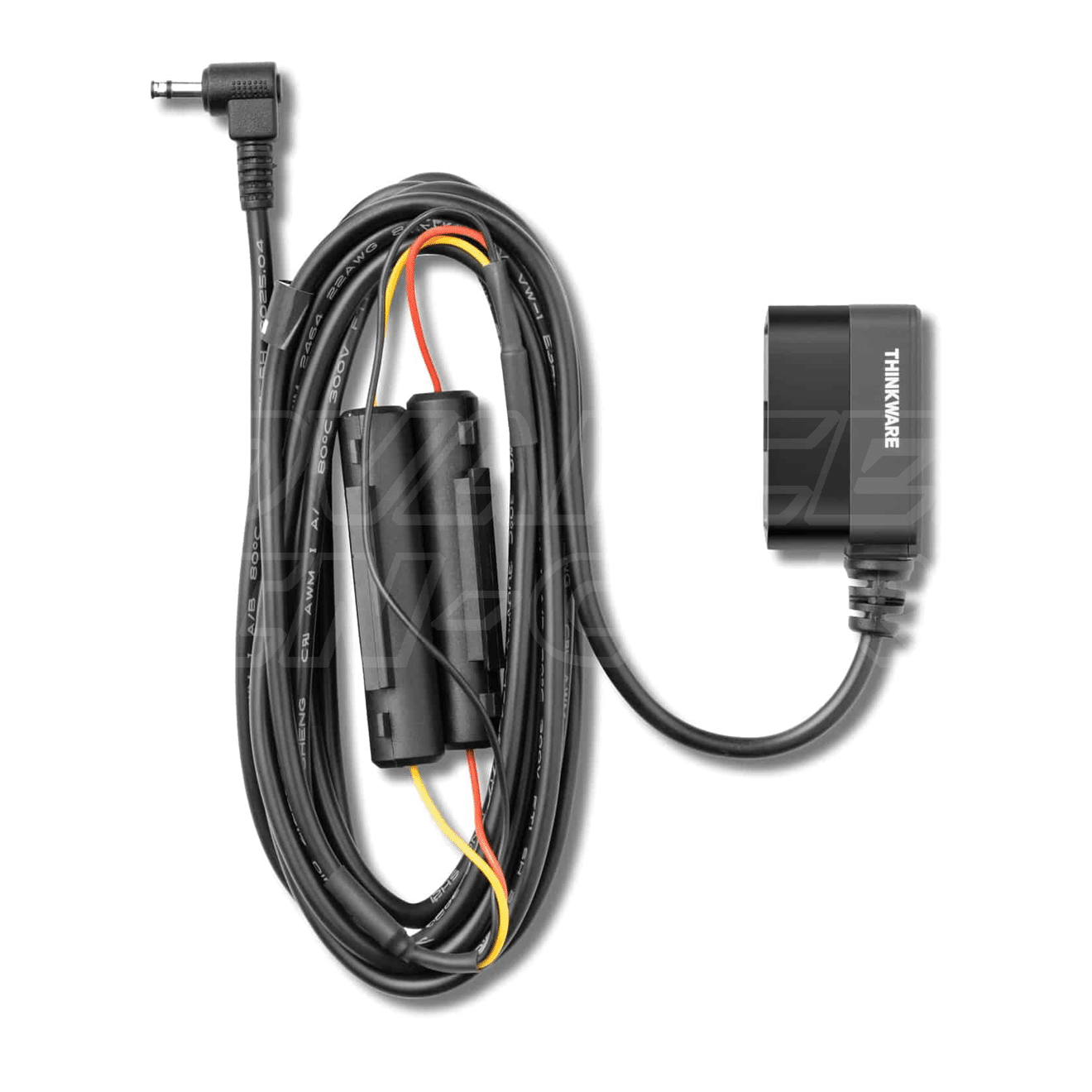
Designed for easy installation, the OBDII cable enables built-in Parking Surveillance Modes; Motion Detection, Impact Detection, Time Lapse Mode*, Energy Saving Mode*
*Available on Select Dash Cams
| Camera Model | ARC 700, ARC 900, F100, F200, F200 PRO, F70, F70 PRO, F800 PRO, Q200, Q800 PRO, Q850, T700, U1000, U1000 PLUS, U3000, U3000 PRO, X1000, X700, X800 |
Professional installation without hardwiring – The OBDII power cable has been designed to simplify installation and ensure seamless integration for enabling the built-in parking surveillance modes in your Thinkware Dash Cam.
As no physical Hardwiring is necessary, this method should allow for a simple installation, plugging directly into your OBDII diagnostic port.
Activates parking Mode – The OBDII cable allows the activation of the Thinkware dash cam parking Mode, The unit will start after 2.5 minutes to allow for vehicles with stop/start technology.
- 3m in length
- Compatible with all types of vehicles with an OBDII Connector, including Hybrid & Full electric
- For ultimate parking performance with Full Electric vehicles we do recommend installation using the Thinkware hardwire cable & a Thinkware External battery pack (add links)
- Battery shutdown / protection is still enabled when using the OBDII cable.






![IMG_7830 copy[89]](https://www.advanced-incar.co.uk/wp-content/uploads/2024/12/IMG_7830-copy89-scaled-600x462.jpg "IMG_7830 copy[89]")